Viewer layout
After you sign in, the 3D viewer fills the session page. You stay on one Scenaven address — cloud or on-prem only changes where the server runs.
 3D viewport
 amAIra & Python
 Same tab
Overview
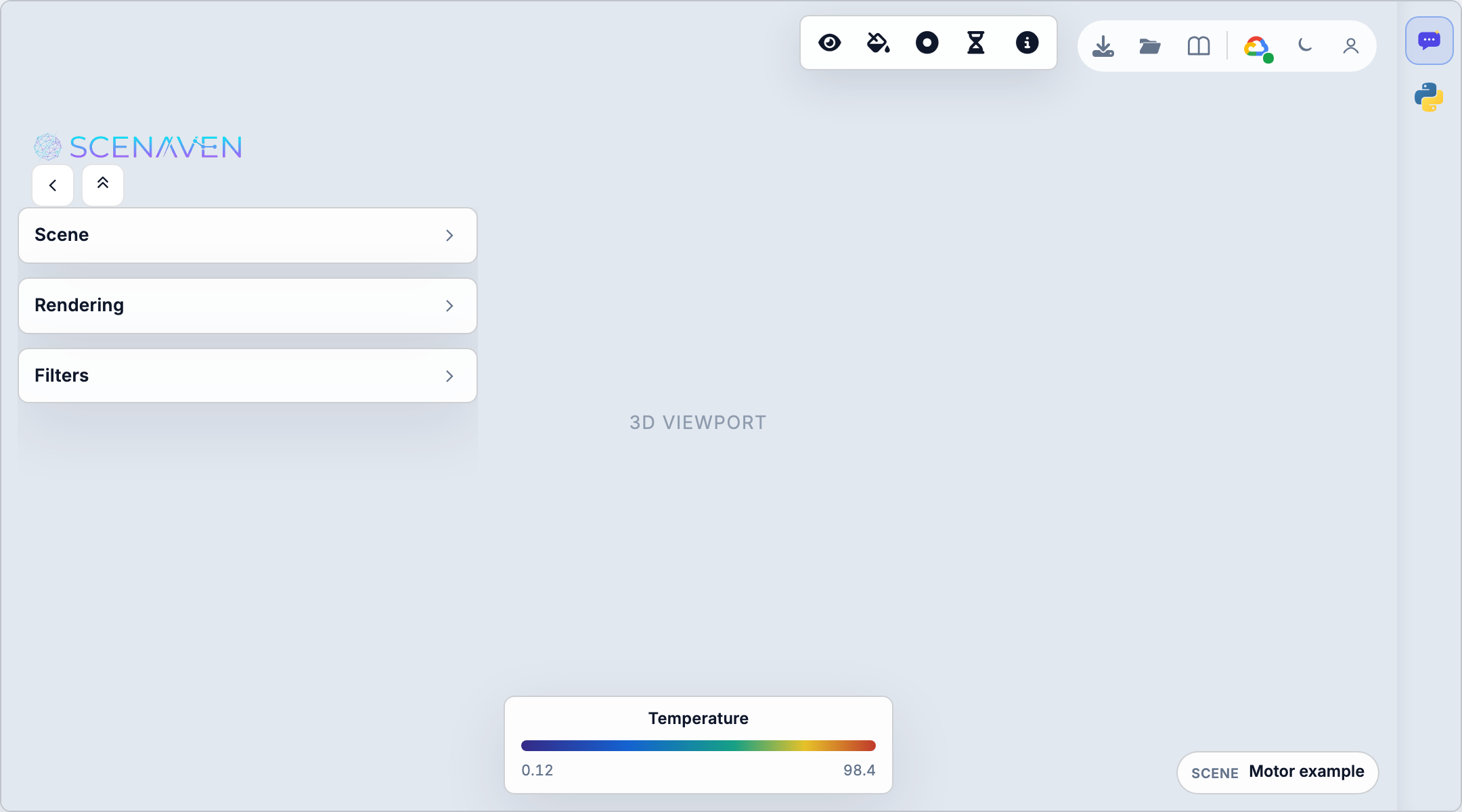
| # | Area | What it does |
|---|---|---|
| 1 | Left cards | Scene, Rendering, Filters — collapsed headers; expand a card to work inside |
| 2 | Top center | Viewport tools — align, legend, probes, time, extract, dataset info |
| 3 | Top right | Examples, Open, help, Infrastructure, theme, account |
| 4 | Center | Three.js viewport — orbit, color, probes, clip gizmo |
| 5 | Bottom | Scene breadcrumb (selection path) and scalar legend when a field is active |
| 6 | Right edge | amAIra and Python session — expand the rail to chat or run cells |
Left sidebar cards
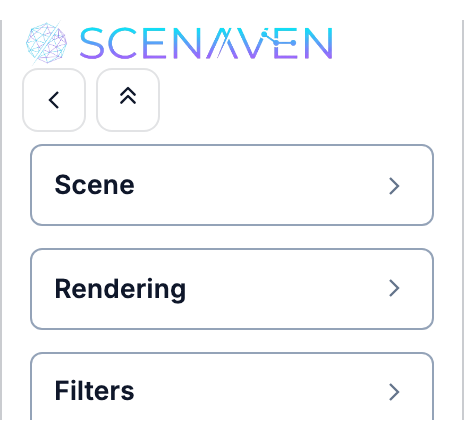
Stacked panels on the left. Collapse the stack with the chevron on the logo row, or hide the whole sidebar with the panel control.
| Card | Typical use |
|---|---|
| Scene | Source row, clips, warps, extracts — click to activate, eye to hide |
| Rendering | Display style, scalar field, colormap, opacity, viewport options |
| Filters | Create clip / warp / compile workflows (Filters) |
Details: Scene tree, Quick tour.
Top center — viewport toolbar
Floating bar over the canvas. Menus open on hover (desktop).

- Align — rotate, fit, zoom-to-box, quick display styles
- Legend — rescale colormap, color wheel
- Tools — point/cell probe, extract selection
- Time — play transient examples (Time animation)
- ℹ️ — VTK dataset info (when enabled)
More: Viewport controls.
Top right — file actions & Infrastructure
Hover or focus the control cluster to expand it.

| Control | Role |
|---|---|
| Examples | Curated datasets (Examples gallery) |
| Open | Your .vtk / .vtkhdf / .vtp / .vtu (on-prem or billed cloud) |
| Docs | This help site |
| Infrastructure | Choose infra — cloud vs on-prem (One address) |
Right rail — amAIra & Python
Collapsed by default: two icons on the right edge. Click to expand a tabbed panel.
| Tab | Guide |
|---|---|
| amAIra | Agentic workflows |
| Python session | Python session |
On the cloud preview, mesh compute for Python and agentic skills is off — see Cloud connection.
Next steps
- Quick tour — load data and color a field in five minutes
- Load simulation data
- Connection — cloud vs on-prem